
Hardware refers to all tangible components of a computer system. Unlike software, which consists of programs and applications, hardware is physical and performs the actual work needed to run your system. Some key hardware components include:
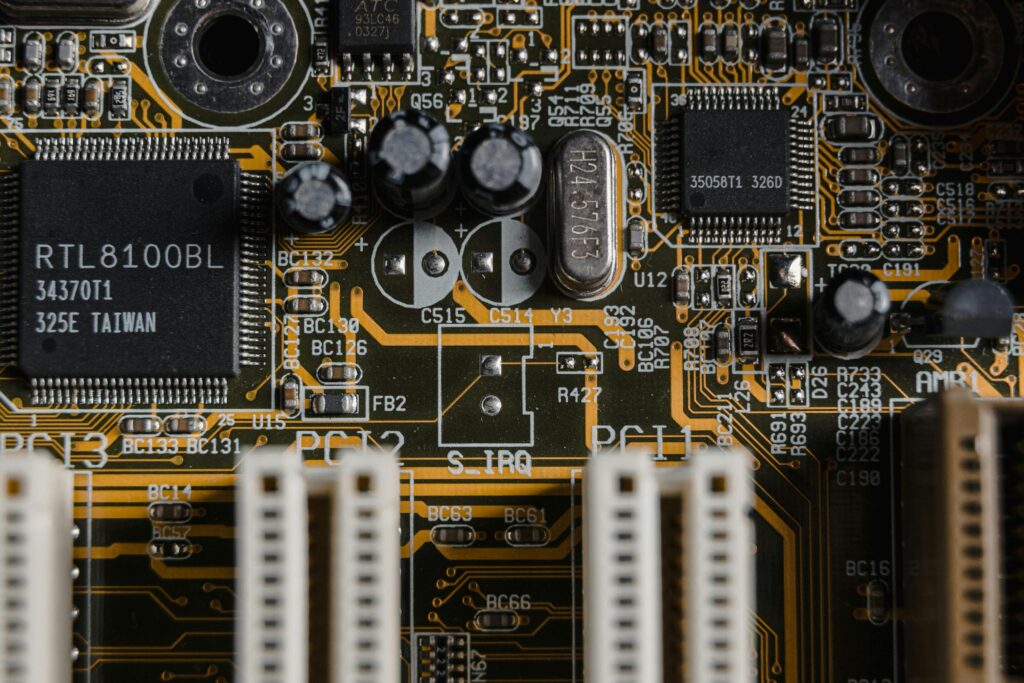
- CPU (Central Processing Unit): Often called the “brain” of the computer, it processes instructions and performs calculations
- RAM (Random Access Memory):Temporary memory that stores data for active programs, helping your computer run smoothly.
- Hard Drive (HDD/SSD): Storage devices where your files, programs, and operating system reside. SSDs are faster and more reliable than traditional HDDs.
- Motherboard: The main circuit board connecting all internal components
- Graphics Card (GPU): Handles rendering of images, videos, and animations, especially important for gaming or video editing.
- Peripheral Devices: External hardware like keyboards, mice, printers, and monitors.
Types of Hardware
Hardware can be broadly categorized into internal and external components.
1. Internal Hardware
Internal hardware is installed inside the computer case and includes:
- CPU (Processor): Handles all processing tasks.
- RAM (Memory): Supports multitasking and improves speed.
- Motherboard: Connects all components and ensures communication.
- Power Supply Unit (PSU): Provides the necessary power to all internal hardware.
- Graphics Card (GPU): Optional for high-performance computing and gaming.
External Hardware
External hardware is connected to the computer from the outside:
- Monitor: Displays images and videos.
- Keyboard & Mouse: Input devices for interacting with the system.
- Printer & Scanner: For printing and digitizing documents.
- Speakers & Headphones: Audio output devices.
- External Storage: USB drives, external hard drives, and memory cards.
Importance of Understanding Hardware
Knowing how hardware works has many benefits:
- Improved Performance: By understanding hardware, you can choose components that maximize your system’s speed and efficiency.
- Better Troubleshooting: Knowledge of hardware helps identify and fix problems quickly.
- Upgrade and Maintenance: You can easily upgrade parts like RAM or SSDs to enhance performance.
- Career Growth: Essential for IT professionals, computer engineers, and tech enthusiasts.
- Cost Savings: Avoid unnecessary purchases by selecting compatible and needed components.
Tips for Selecting and Using Hardware
- Always check compatibility before buying new hardware.
- SSDs are recommended over HDDs for faster boot times and file access.
- RAM size directly affects multitasking capabilities—more RAM equals smoother performance.
- Keep your hardware clean and dust-free to prolong its lifespan
- Invest in high-quality peripherals for better user experience.
Common Hardware Mistakes to Avoid
is important to distinguish between hardware and software
- Hardware: Physical components you can touch.
- Software: Programs and applications that instruct hardware what to do.
Both work together to make a computer functional, but hardware is the foundation that supports software operations.
Conclusion
Computer hardware is the backbone of any computing system. From the CPU to peripheral devices, each component plays a vital role in performance, efficiency, and usability. Whether you are a beginner, a student, or a professional in IT, understanding hardware is essential for troubleshooting, upgrading, and maximizing your computer experience.
Pingback: How ChatGPT Works:Artificial Intelligence Chatbots - haboondigital.com